

Initial Setup
To start using the Scraping Browser, follow these steps:Sign Up for ZenRows
If you haven’t already, create a ZenRows account by visiting the Registration Page.
Head to your Scraping Browser dashboard
Once registered, log in to your dashboard to access your Scraping Browser page.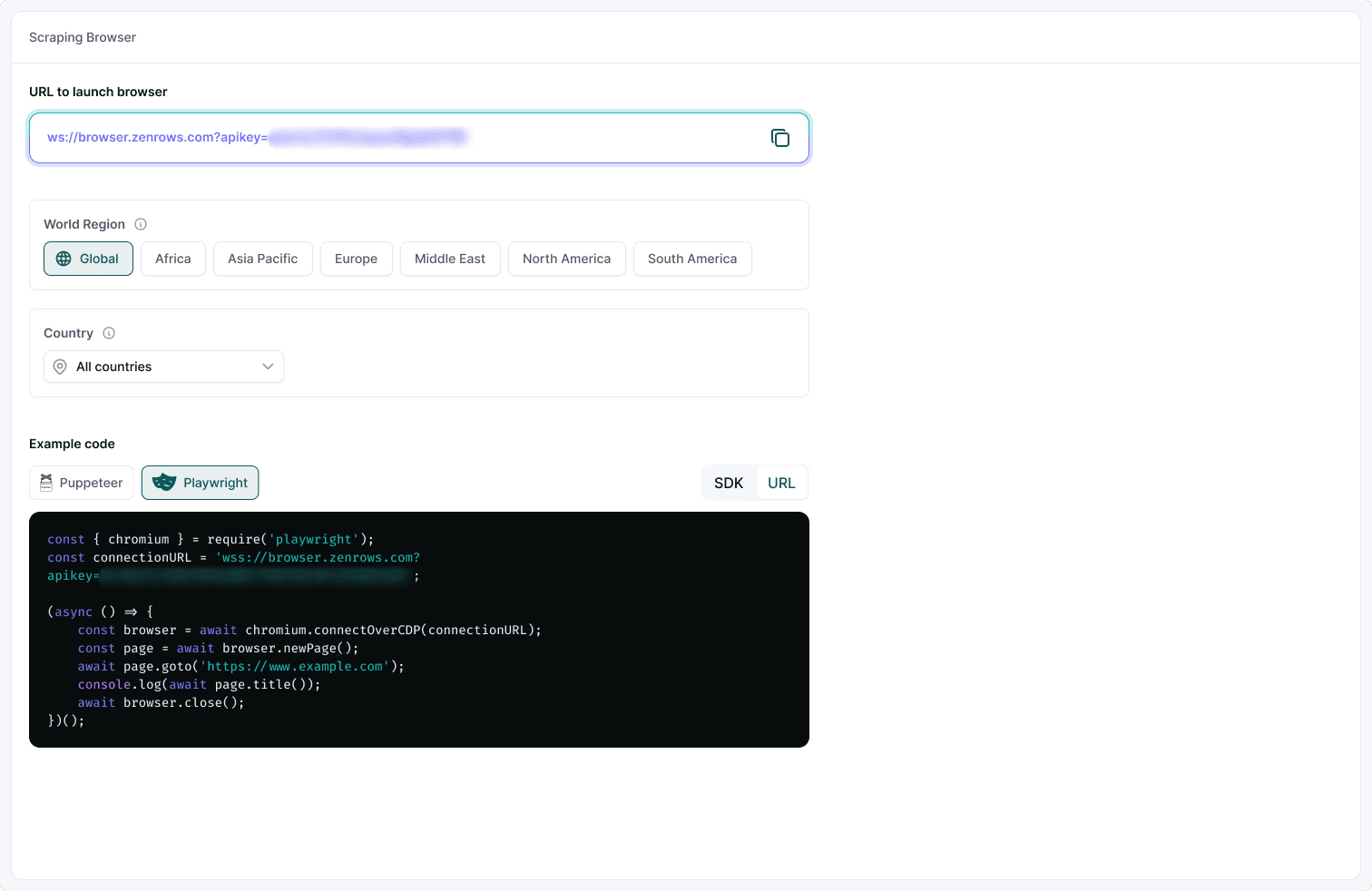
Scraping Browser Parameters
ZenRows® Scraping Browser is designed for ease of use with minimal configuration. However, you can still customize some options to suit your needs, including World Region, Country and Session TTL.Auto-rotate and Residential IPs are pre-configured and enabled by default for all users.
Available Parameter Options
The Scraping Browser offers several customizable parameters to enhance your scraping experience:- World Region - Target specific geographic regions for your scraping operations
- Country Selection - Choose from our extensive list of premium proxy countries for geo-restricted content
- Session TTL - Control browser session duration from 1 to 15 minutes